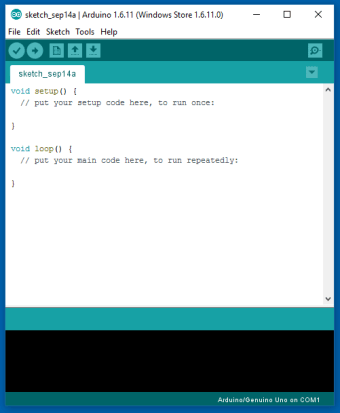
Arduino IDE, developed by Arduino, is an open-source development environment for writing, verifying, and uploading sketches to Arduino boards and compatible microcontroller platforms. It combines a code editor, compiler output, upload tools, Library Manager, Board Manager, Serial Monitor, and Serial Plotter in one desktop application. Arduino IDE 2.x also adds a modern interface, autocompletion, code navigation, and live debugging support.
Arduino IDE provides a simple workflow for turning code into working hardware projects. Users write programs called sketches, usually in the Arduino programming language based on C/C++, then compile and upload them to a connected board.
For testing and troubleshooting, the IDE includes a Serial Monitor and Serial Plotter. These tools help users view sensor readings, debug messages, and other live data from a board while a project is running.
What boards and libraries does it support?
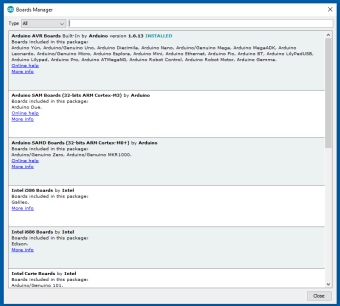
Arduino IDE supports official Arduino boards and can be extended to work with compatible third-party platforms. Through the Board Manager, users can install board packages for additional hardware, including commonly used platforms such as ESP32 and ESP8266. However, some third-party boards require users to add package source URLs manually before they appear in the Board Manager.
The Library Manager gives users access to a large collection of reusable libraries for sensors, displays, motors, networking, communication modules, and other hardware components. This makes it easier to build prototypes without manually setting up complex toolchains or writing every driver from scratch.
A practical tool for hardware prototyping
Arduino IDE is a reliable choice for anyone building projects with Arduino boards or compatible microcontrollers. Its simple sketch-based workflow, built-in monitoring tools, and broad library support make it approachable for beginners while still useful for experienced makers, educators, and engineers working on prototypes.
Cathy Buggs
With decades of experience in IT management and later as a writer and tutor, she combines technical knowledge with a passion for clear communication. His work spans editing, teaching, and writing, bringing authority and precision to content on technology and related fields.
Laws concerning the use of this software vary from country to country. We do not encourage or condone the use of this program if it is in violation of these laws. Softonic may receive a referral fee if you click or buy any of the products featured here.



.jpg)